Connecting your broker, safely
"Connect your broker" is the scariest thing we ask you to do, so here's exactly what happens — in plain English, and matching what the code actually does. The short version: it's read-only, we never see your password, and you can wipe the connection any time.
Read-only, always
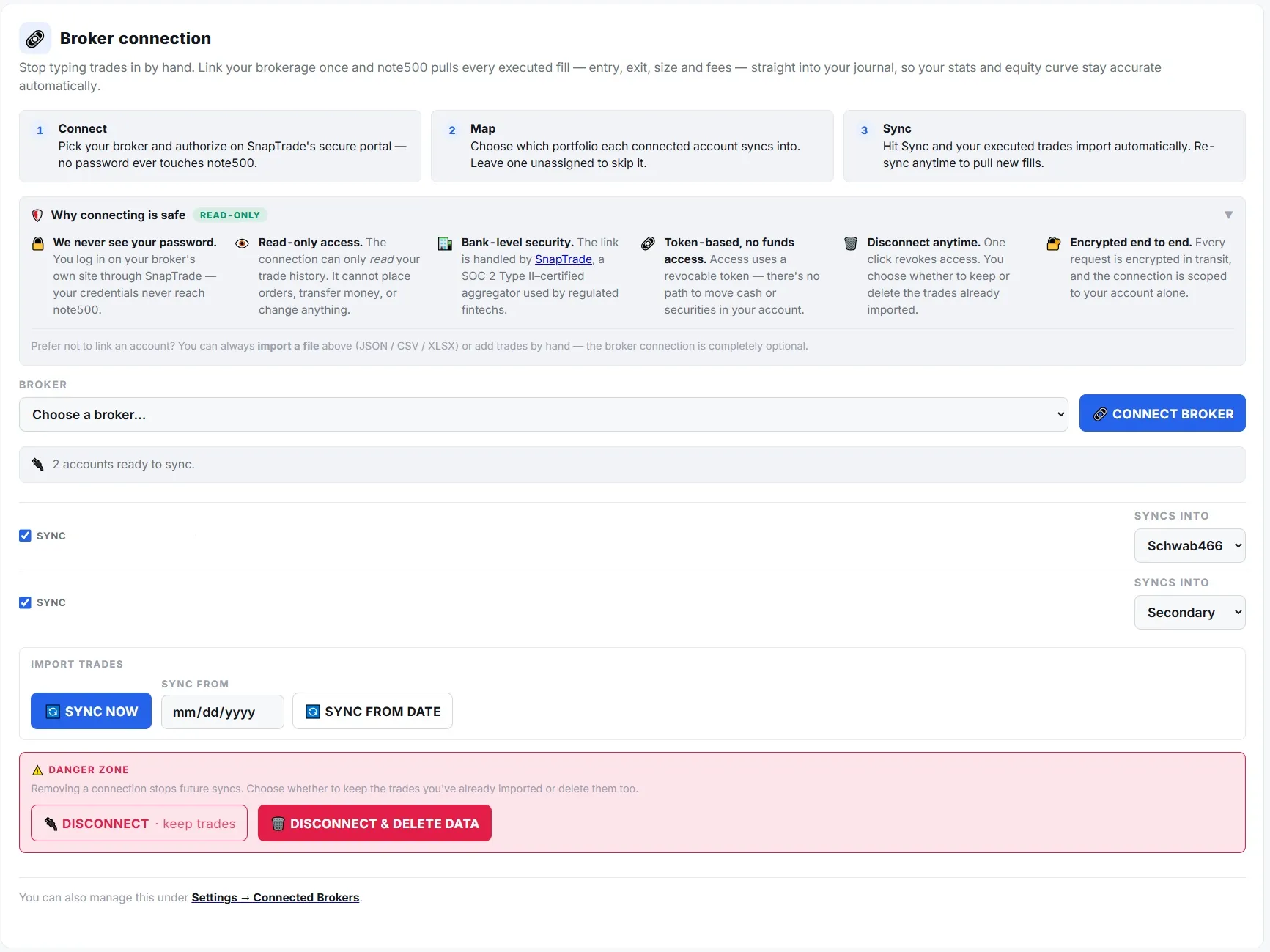
Every connection is pinned to read-only at the API level. note500 can read fills and balances — it can never place a trade or move money.
We never see your password
You log in on your broker's own page. note500 never receives your broker username, password or broker token.
Encrypted at rest
The only thing we store is an opaque access handle — encrypted with authenticated encryption, with the key kept out of the database.
Disconnect wipes it
Disconnecting deletes the connection on both sides. Your hand-entered trades are never touched, and you can export everything any time.
Read-only by design
note500 uses SnapTrade, a specialist brokerage-data provider, to connect to your accounts. Every connection note500 opens is pinned to read-only — it's requested on read scope on every single connection link, so you can never be walked into granting trade access, even if it were offered. note500 imports your executions and balances; it has no ability to place, cancel or modify orders, and no ability to move funds. It's a journal, not a broker.
You authorize on your broker's page, not ours
When you connect, note500 hands you off to your broker's own login, through SnapTrade's secure portal. You type your credentials into your broker, never into note500. note500 never sees or stores your broker username, password, or broker OAuth token. The only thing note500 ends up holding is an opaque, per-user handle whose sole power is to read your data — it isn't a broker credential and can't be used to trade.
What's stored, and how it's protected
- Encrypted at rest. The access handle is encrypted with Fernet — authenticated encryption (AES-128-CBC + HMAC-SHA256). The encryption key lives in the server environment, never in the database, so a full database leak yields only ciphertext. The feature literally refuses to run unless that key is configured — a handle can never be stored in plaintext.
- Minimal data. note500 stores the encrypted handle plus housekeeping (connection status, sync timestamps) and, per account, a display name and broker name. Account numbers are masked; the plaintext handle is decrypted in memory only for a single read call and is never logged or returned to the browser.
- Payments never touch us. Stripe handles and stores your card details — note500 never sees or holds your card number.
Disconnecting, and your data
You're in control of the connection and the data:
- Disconnect deletes the SnapTrade user on their side (which also stops the small monthly connection cost) and purges the encrypted handle and account rows from note500 — while keeping the trade history you've already imported.
- Disconnect and delete data additionally removes broker-imported trades. It is scoped strictly to broker-sourced rows — trades you entered by hand are never touched.
- Export anytime. Your trades are yours: export to CSV, JSON or Excel on any plan, including free. Export is never gated.
Prefer not to connect at all?
You never have to. note500 works entirely on manual entry or file import — drop in a CSV/JSON/XML export from your broker and note500 maps it for you. Broker sync is a convenience, not a requirement.
Try note500 free →Have a security question we didn't answer? Email support. See also our Privacy Policy and Terms.